
Show off your ladder: the climb, race lines and ladder pictures
Updated · 4 minute read
A table of names and numbers tells you who’s winning. It doesn’t tell you that Priya was dead last after Round 2, or that Dan has been sitting in second for six weeks. Those are the stories that get an office talking, so every comp on Tipping Ladder can show its ladder three ways.
On your comp’s Ladder page, use the switch at the top: Table, The climb or Race lines. Your choice is remembered on that device, and it goes in the page’s link, so you can send someone straight to it.
The climb
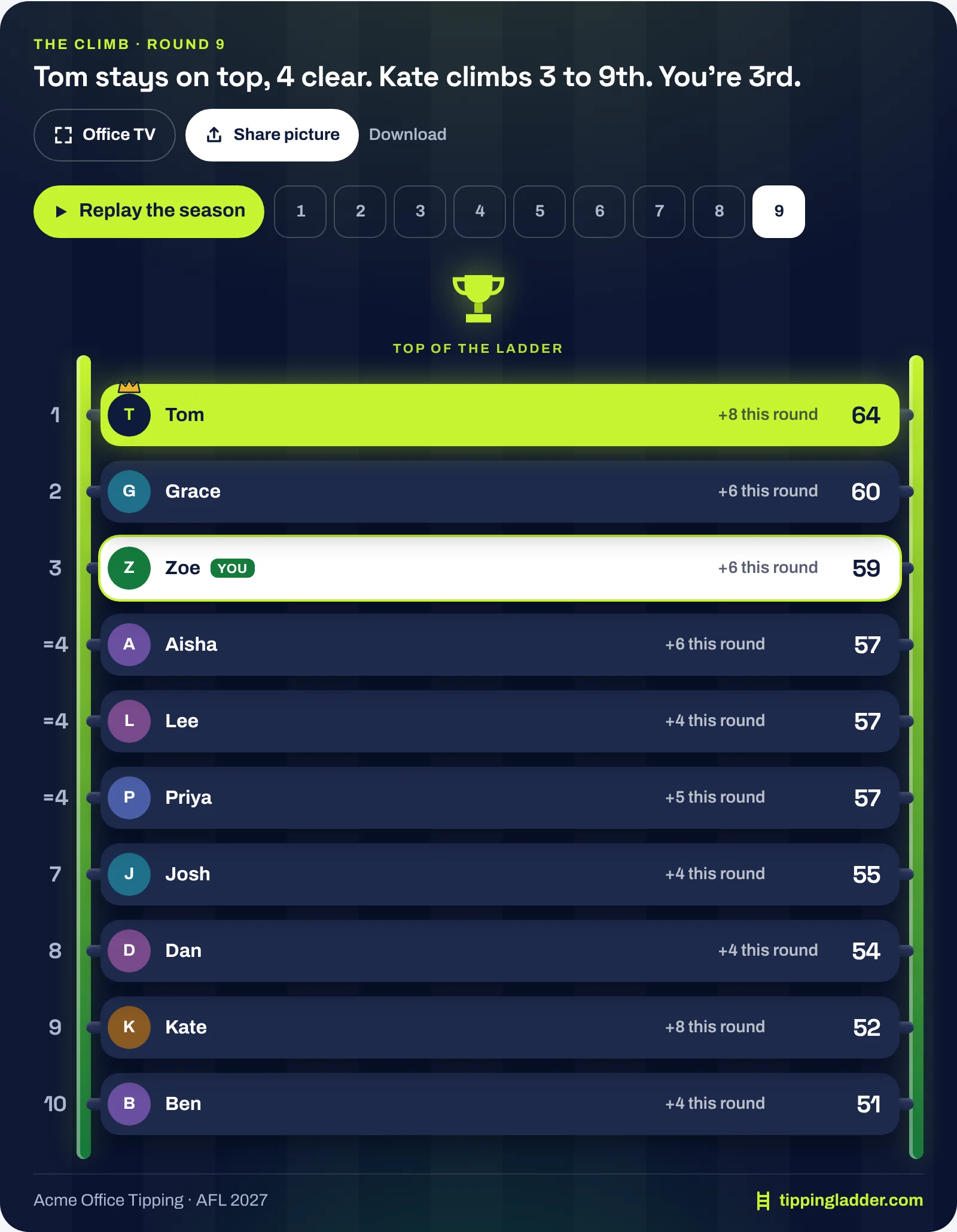
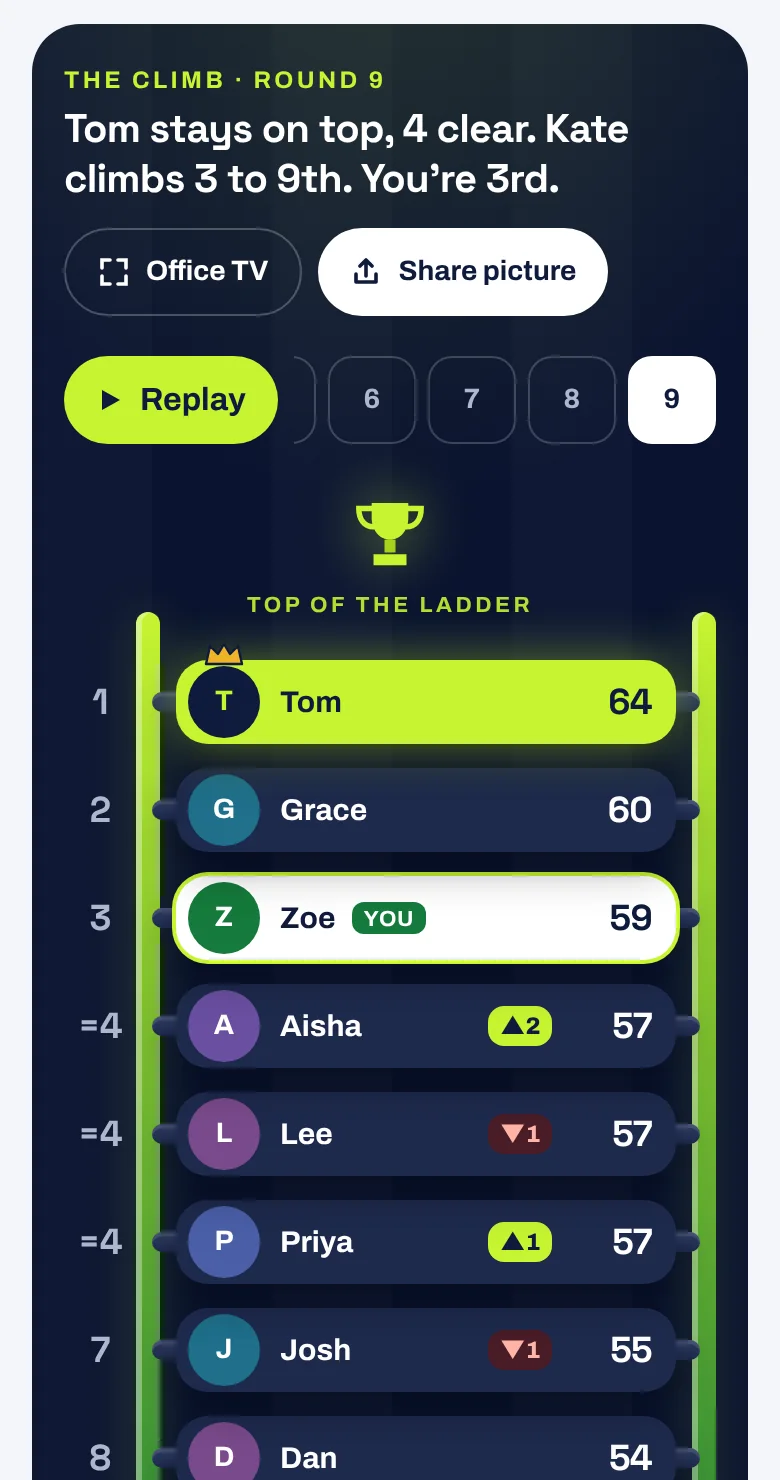
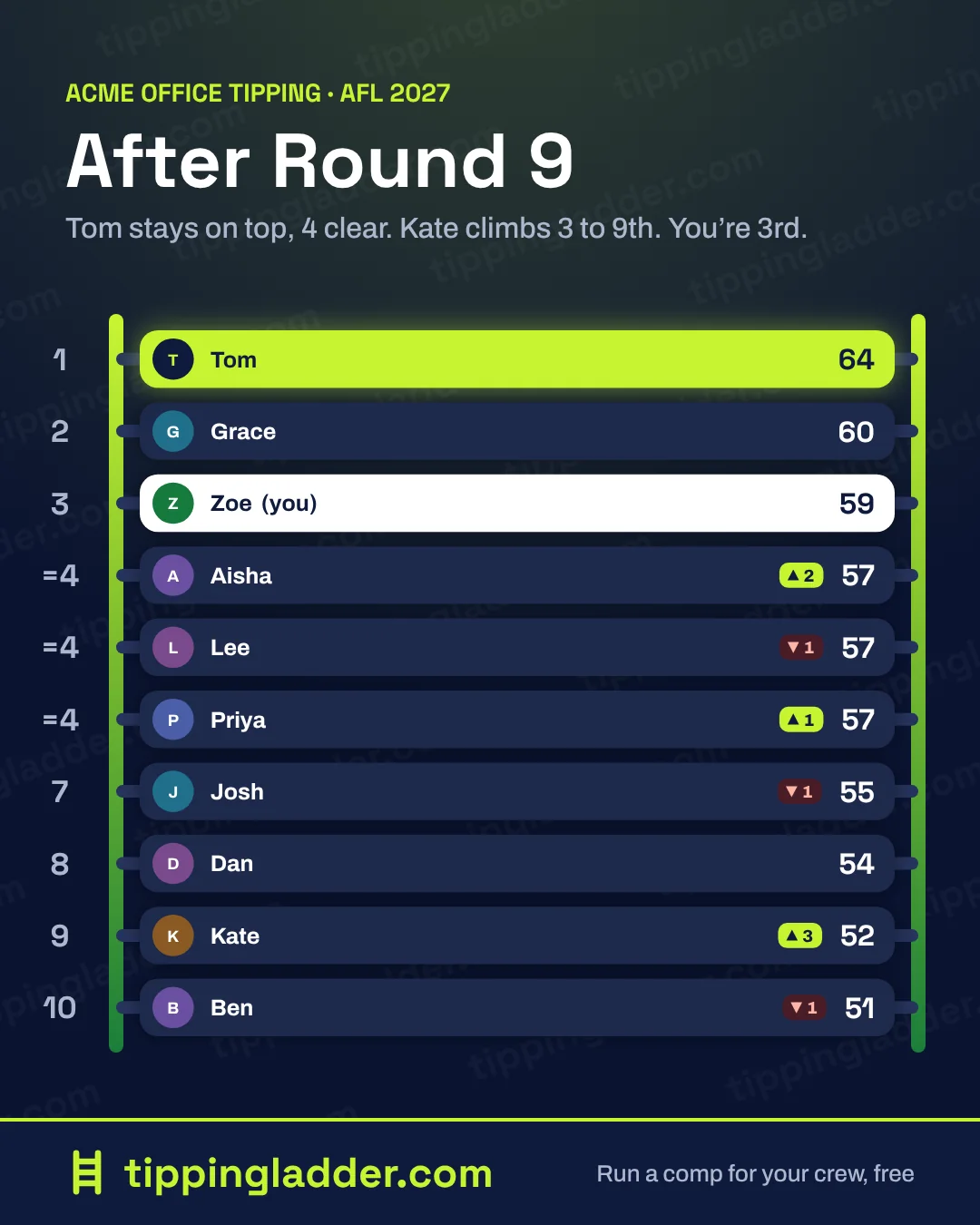
Your comp as an actual ladder. Everyone’s name tag sits on a rung, with their points, how many places they moved and what they scored this round. The leader wears the crown, and you’re in white so you can find yourself.
- Replay the season slides everyone up and down the ladder, round by round, with a line on what happened (“Priya takes the lead in Round 3”). It plays once by itself the first time you open it in a visit.
- Tap a round number to see the ladder as it stood after that round.
- Big comps show the top ten. If you’re further down, you’re shown just below them, so you never lose yourself.
- Level on points? You’ll see “=4” on the rung, the same tiebreak as the table.
Race lines
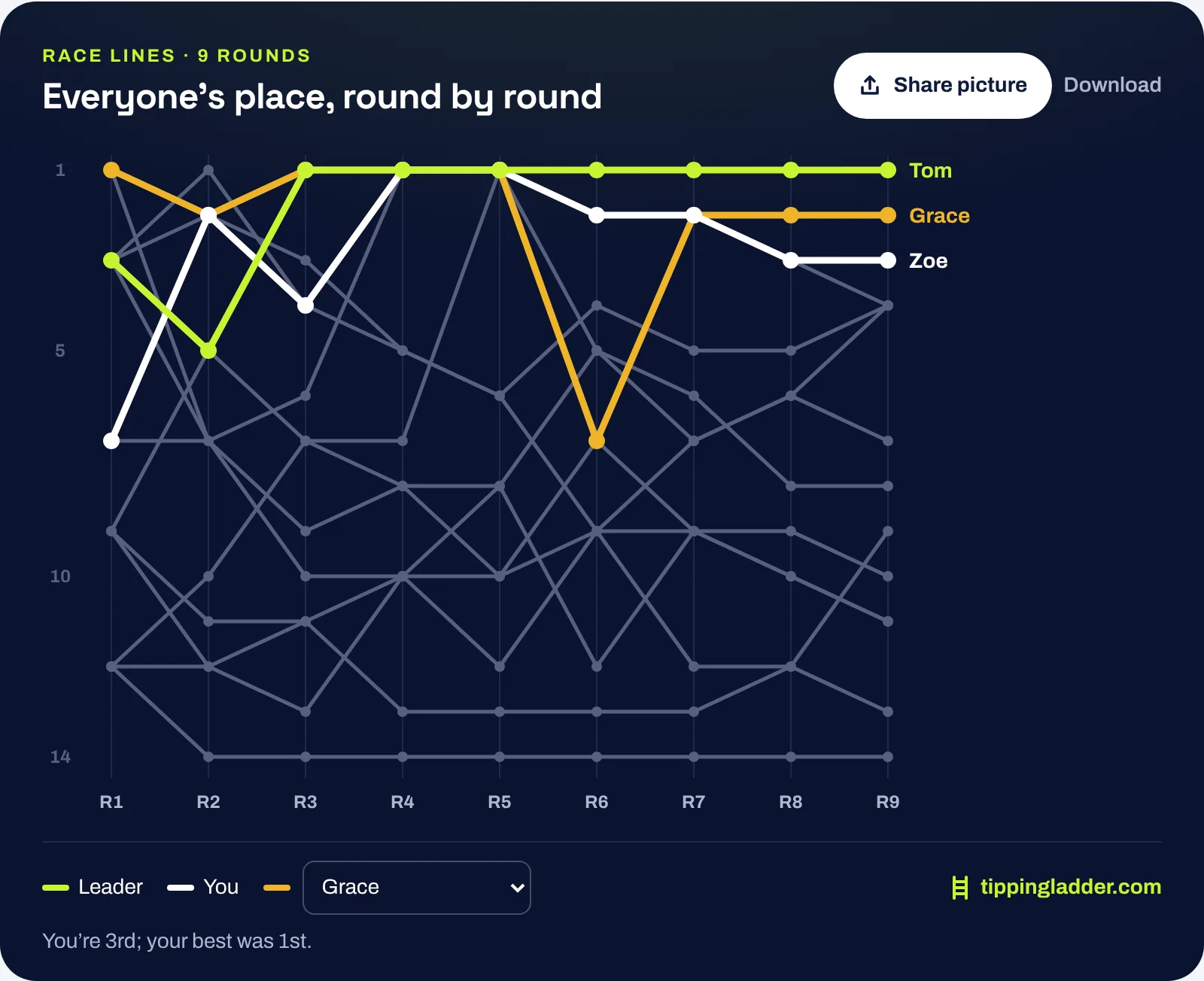
One line for each person, showing their place after every round. It’s the quickest way to see who’s been steady, who started slow, and who just fell off a cliff. The leader is lime and you’re white. Pick anyone from Follow someone to light them up in amber, or point at a line to pick it out. Long seasons scroll sideways on a phone and open at the latest round.
Put it on the office TV
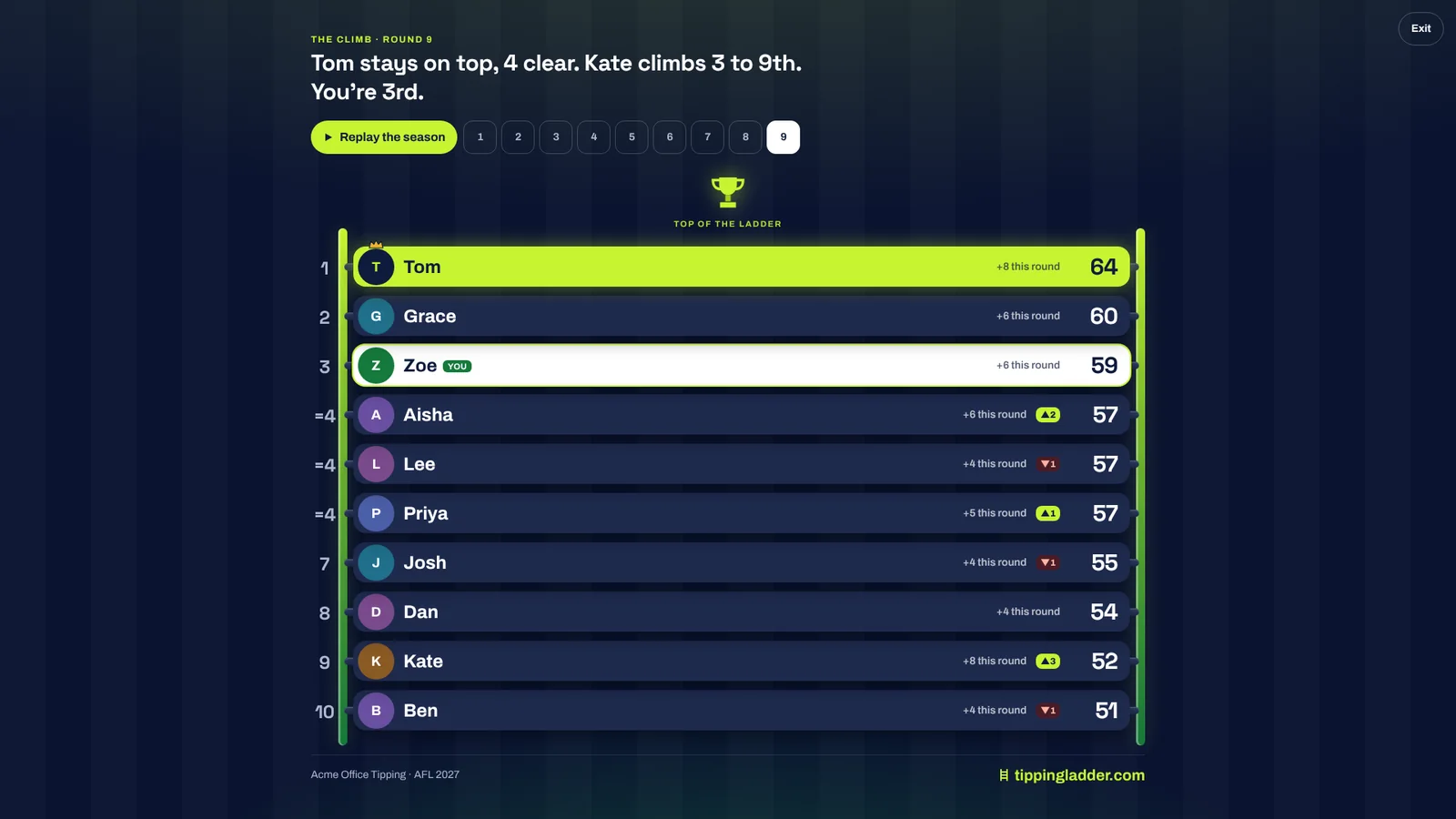
On a computer, press Office TV on the climb. It fills the screen, sizes itself to fit, and replays the season on a loop, holding on the latest round between replays. Press Esc to leave.
If the organiser has switched on the comp’s public leaderboard (on the comp’s settings
page), it has the same three views and needs no sign-in, which makes it the easy option for a shared
screen. Add ?view=climb to the leaderboard link to open straight on the climb.
Share a ladder picture
Share picture turns the climb (or race lines) into a picture sized for phones and chat apps. On a phone it opens your share sheet, so it goes straight into Teams, Slack, WhatsApp or Messages. On a computer it copies the picture, ready to paste into a chat or an email, and there’s a Download link too.
The picture shows the round you’re looking at, so you can share any round, not only the latest. It carries your comp’s name, a one-line summary and tippingladder.com.
It’s in the round wrap email too
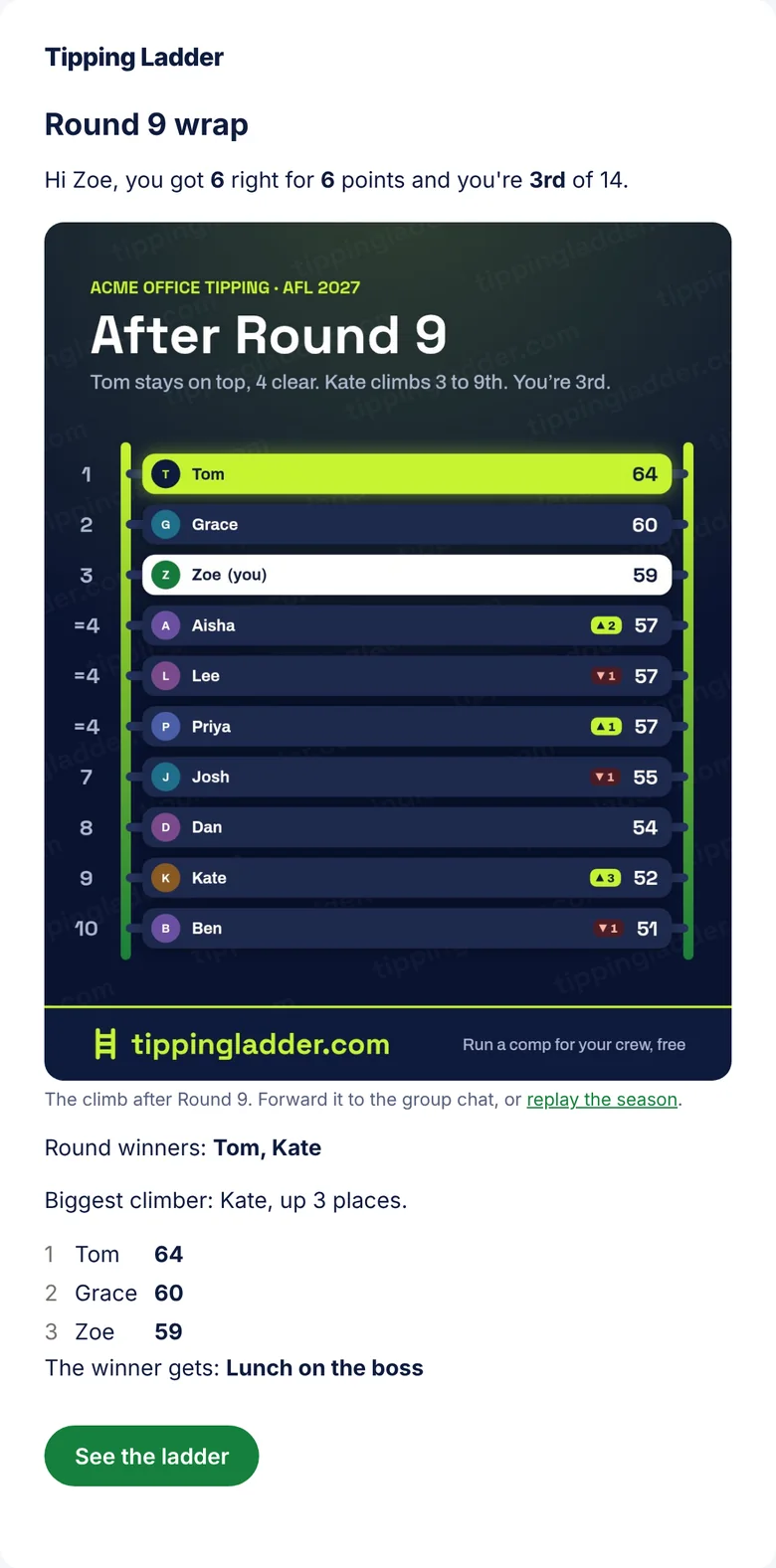
When every result in a round is final, each member who gets round wraps gets the climb picture at the top of the email, with their own name highlighted. It’s an ordinary picture in the email, so forwarding it to the team chat just works. Tapping it opens the climb, ready to replay. Anyone can turn round wraps off from the link at the bottom of each one.
Share cards for every round
Once every result in a round is final, each member gets their own Share cards (the tab next to Stats): their round as a picture, in a Story size for Instagram, TikTok and Facebook and a square for chats. There are ten, earned by what happened: The Oracle (your score against the comp), Lone Wolf (a right call hardly anyone made), Perfect Round, The Climb, On a Heater (a run of right tips), Top of the Ladder, Against the Grain, The Comeback, and two roasts, Officially Cooked and Wooden Spoon Watch. Every card has Share, Copy picture, Save and Copy words, and each one is only about the person sharing it.
Organisers also get a round-up by email after each round, built to forward to the whole comp as it is: the round winner, the ladder picture, the round’s best moments as cards naming the people in them, and the top of the ladder. The same round-up is under Manage › Round-up, with each picture to copy and the round-up in words to paste into Teams, Slack or WhatsApp, and that’s where it can be switched off for that comp.
The round-up includes the roasts. Anyone who would rather not appear on those can tick Leave me out of roasts at the bottom of their Share cards page: they still appear on the good cards, and their own roast cards stay theirs to share or not.
Good to know
- Who can see it? The same people who can see your ladder: members of the comp, plus anyone with the link if you’ve turned on the public leaderboard. It shows display names and points, nothing else.
- Survivor comps don’t have a ladder to climb, so they keep their own survivor table.
- Prefer less movement? If your phone or computer is set to reduce motion, the climb doesn’t animate: it jumps straight to each round.
- Every plan gets all of this, including free comps and the free summer of cricket.
Running a comp for the first time? Start with how to run an office footy tipping comp, or see office tipping comps.